How to: a sealing wax stamp animation in Blender
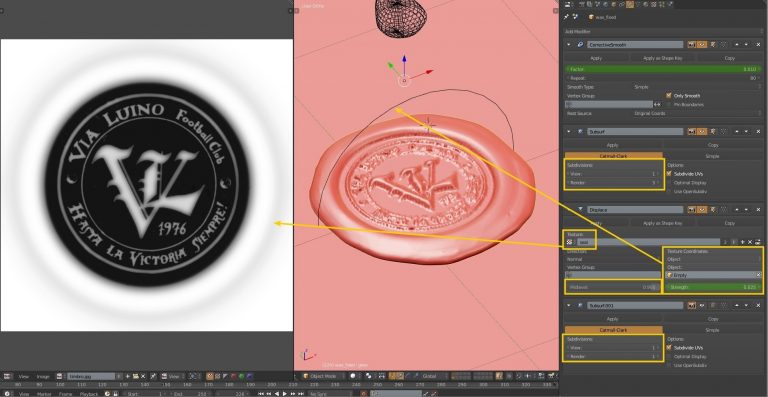
If you are having problems, please use this link In this tutorial you are going to discover how to: use fluids for dropping sealing wax manually animate the spreading of the wax use modifiers to impress a seal define a realistic wax effect Are you longing to get a result similar to the one presented in our demo video? If we have managed to put up a good tutorial, you should be able to. Otherwise, contact us, and we will apologize for our poor communication skills. Let us start. Drops First of all we created 3 UV spheres with different size and shape. One of the spheres was a little bit sculpted in order to modify its shape. The fluid coming from the spheres is initialized with three different starting speeds. The first and second wax drops move a little bit up, along the Z, before going down. In this way, we simulate a diachronic fall. (A possible solution with a movement of the spheres in the domain was discarded as deemed unsatisfactory) Plane The plane is set as an obstacle. Its parameters are shown in the image (no slip). Both plane and spheres are Fluid (physics) Fluid In order to simulate the wax density: base 2, exponent 3 in the viscosity parameters For avoiding excessive spreading of the wax on the paper: Slip type -> no slip To obtain a Slow motion effect: Speed 0.3 After several attempts we discovered that the parameter that suited us better for the Real World Size is 0.4 meters for the domain To obtain a wax-style fluid Smoothing is set at 4 Bake a test simulation with a final resolution of 100-150 to see if there is something wrong. When you get a first result of the wax spreading correctly, bake the definitive version […]